Made for your own delivery team
Less chasing.
A clearer view
of service.
Your drivers, their next stops and recorded pay. Together in one place, from the first ticket to the end of the shift.
Planned from £100 / month. One location. Two drivers.
Your team. Your view.
Drivers choose whether to share during a shift.
01During service
The whole run.
Just for your restaurant.
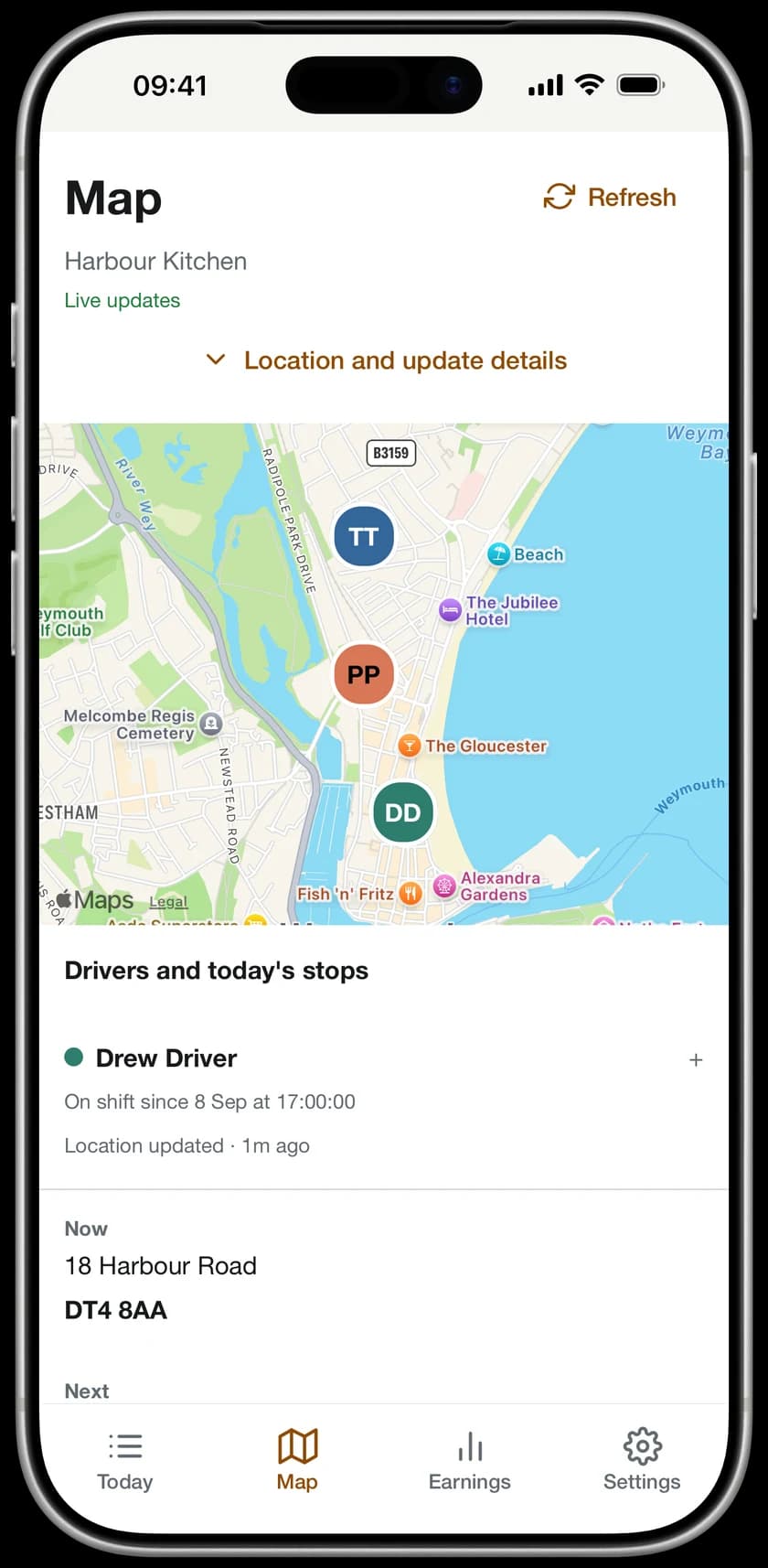
You want to know where your team is. Your customers don't need a window into every other delivery.
See the locations your drivers choose to share during their shift, alongside today's delivery progress. There is no customer-facing driver map.
Location sharing, explainedA restaurant view of the run.
Explore a delivery run
A run, at a glance.
Follow the route below. The view belongs to your restaurant team.
It starts at the restaurant.
Use the stop buttons to explore this illustrated run. Scroll animation is off.
Illustration, not live tracking. Real sharing is optional, on shift and subject to permissions and connectivity.
02At the restaurant
Keep service in view.
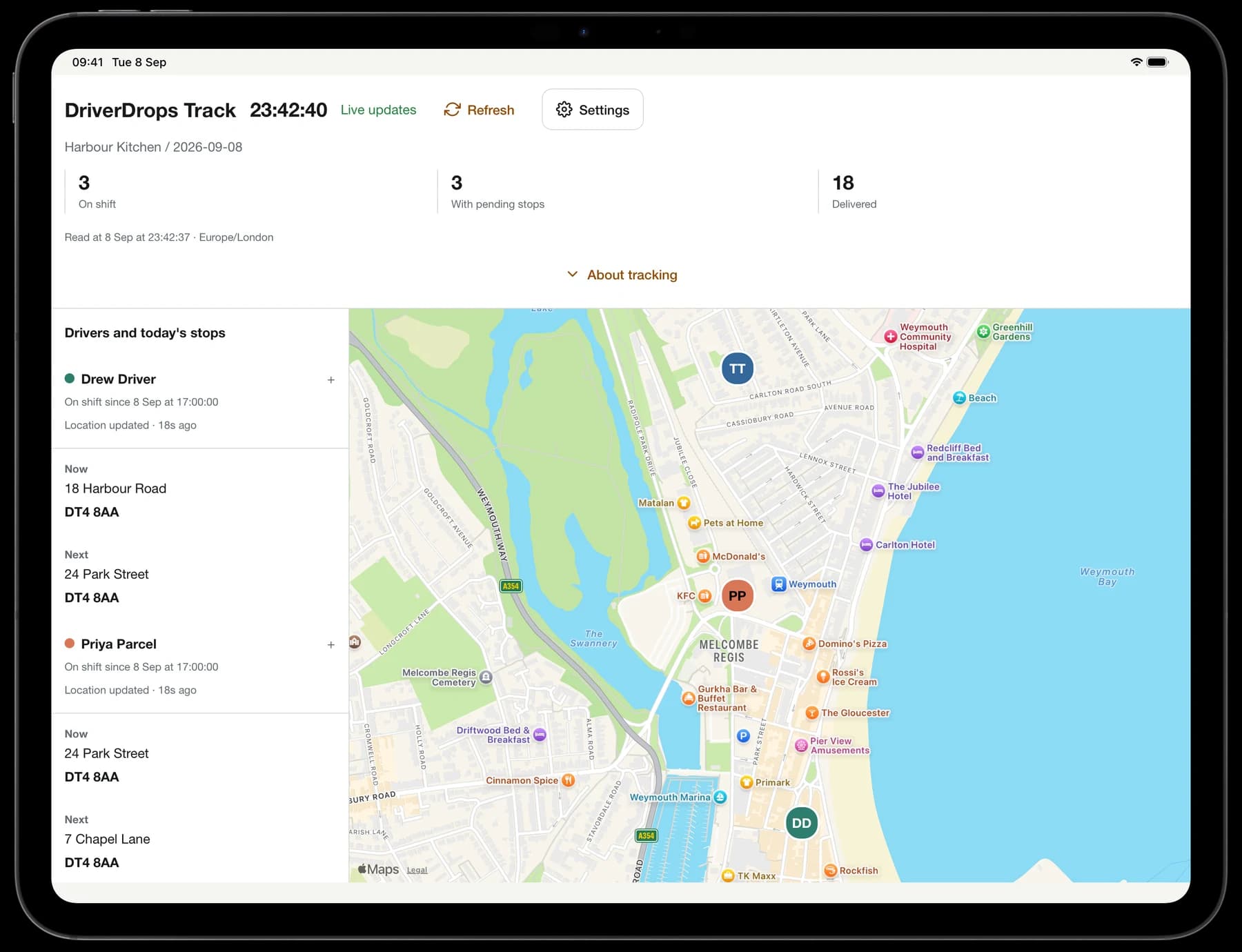
The iPad stays at the restaurant. Your team's shared locations and next stops stay close at hand.
03Out on delivery
A little order
for every drop.
A clearer next step, from the moment a ticket leaves the kitchen.
- 01
Scan the ticket
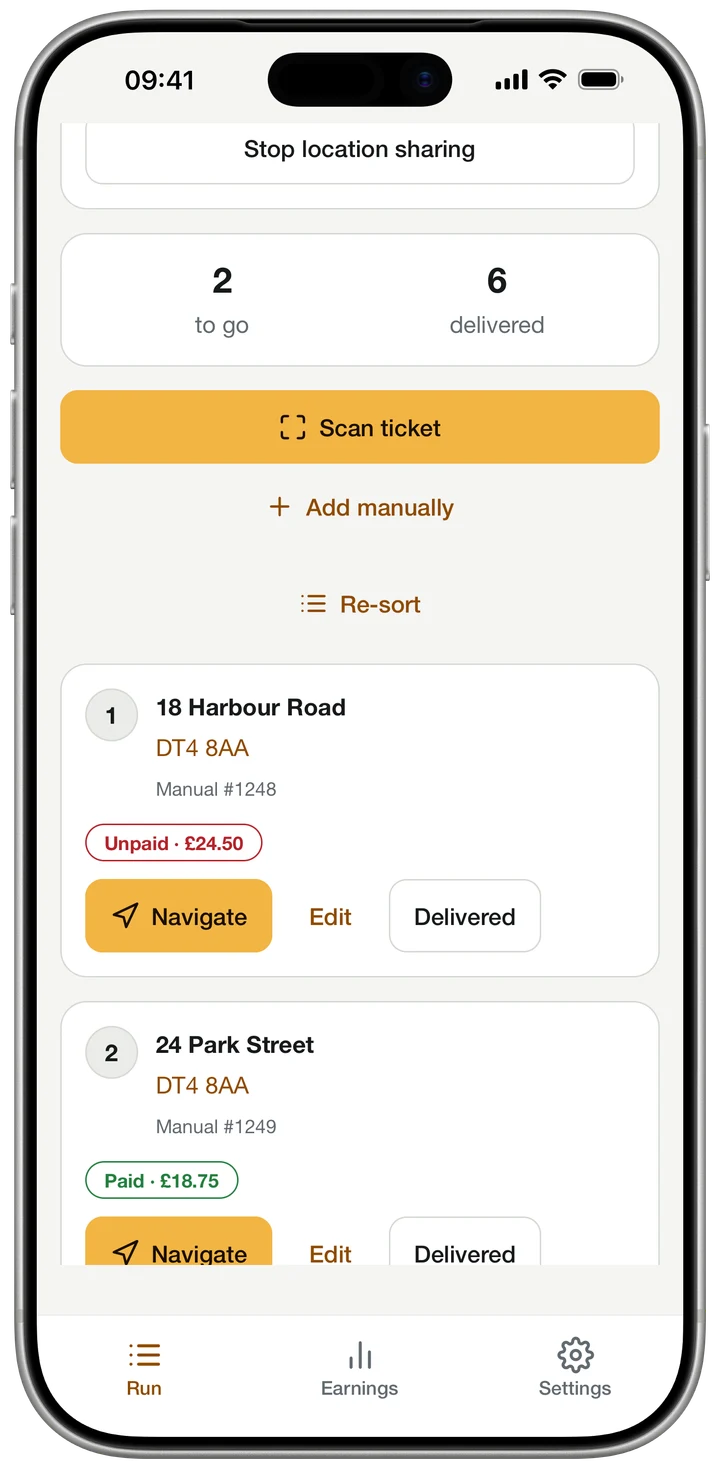
Scan a printed ticket or enter an address. Check the details before adding it to the run.
- 02
Know the next stop
Organise deliveries and open directions in Apple Maps.
- 03
Keep the record moving
Record delivery progress and customer payments. Changes can wait on the device when the connection drops.
04After the shift
The shift.
The drops.
The pay.
The details your team deserves to see clearly.
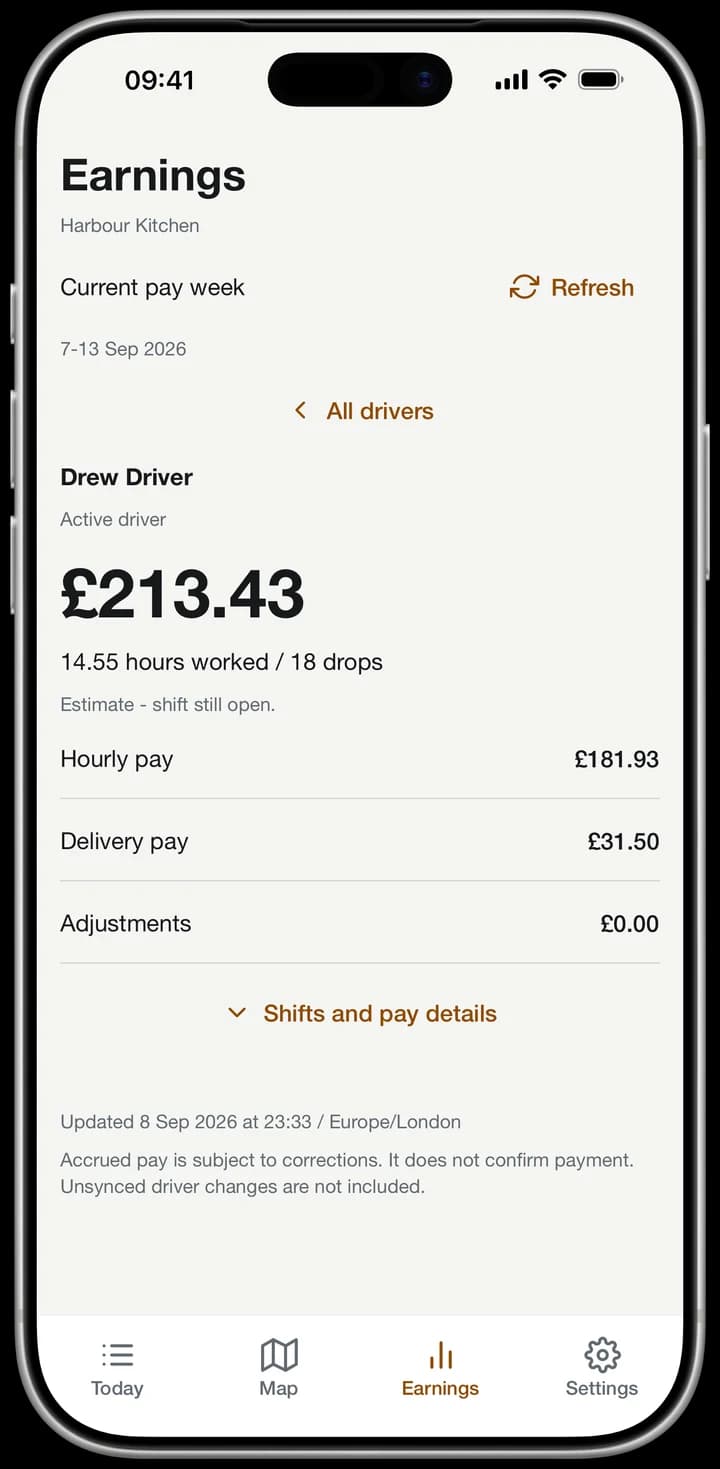
Review each driver's recorded hours, delivery pay and current pay week. Drivers can see their own accrued earnings, too.
Customer money outstanding is shown separately. Accrued pay is subject to corrections and is not confirmation of payment.
05Room for your team
One restaurant.
A clearer evening.
Start with your location and two named drivers. Add more as your team grows.
Driver app. Owner view.
Restaurant iPad view.
Web dashboard.
Build your plan / Planned launch pricing
Two named driver accounts included per location. Add extra accounts where needed.
Estimated monthly price
2 included accounts across 1 location, plus 0 extra.
- First locationIncludes two named drivers
- £100
- Extra locations£75 each, including two drivers
- £0
- Extra named drivers£10 per account
- £0
Planned 14-day trial. Subscriptions are not open yet. This estimate does not start a trial or subscription.
Set up your restaurantProposed pricing. VAT treatment and final billing terms will be confirmed before subscriptions open.
Can customers see where my drivers are?
No. DriverDrops does not provide a customer-facing driver map. Shared locations are for your restaurant team, so customers cannot use DriverDrops to follow the other stops on a driver's run.
Do drivers control location sharing?
Yes. Recording a shift and sharing location are separate. A driver needs a confirmed active shift and location permission to share, and can stop sharing in the app. Location availability depends on permissions, connectivity and the device; the app shows when a position was updated.
Does DriverDrops pay my drivers?
No. DriverDrops records shifts, delivery pay and accrued earnings for you to review. Figures are subject to corrections and do not confirm payment. Paying your team and meeting your payroll obligations remain your responsibility.
What do we need at the restaurant?
Drivers use the iPhone app. Owners can use the iPhone owner view and web dashboard, with an iPad service view for the restaurant. DriverDrops is for restaurants running their own delivery team; it does not take customer orders or supply drivers.
What counts as an included driver?
The base plan includes two named driver accounts for one location. Additional named drivers are priced separately. Your restaurant's subscription covers its DriverDrops access; drivers do not buy an in-app subscription.
What happens if a driver loses connection?
Delivery changes can wait on the driver's device and sync when access returns. Shared locations and the restaurant view can be out of date during a connection problem, so check the update information in the app.